
A battery icon reading 6:05, the time remaining that MacBat estimates

Your battery tells you the time left again.

Get MacBat

Download MacBat for macOS
The old macOS battery menu bar item that used to show time remaining

Remember this?

Apple took it away. We brought it back.


Introducing MacBat: it continuously calculates how much time your battery should still last, using a proprietary algorithm that factors in your Mac's real power usage.

But that's just the beginning.

The interface a Mac deserves

MacBat isn't just another menu bar item.

It's a living, functional control surface, based on Apple's guidelines, that puts the information that matters right at your cursor. 

MacBat isn't just another menu bar item.

It's a living, functional control surface, based on Apple's guidelines, that puts the information that matters right at your cursor. 

Your Mac already knows how to save battery.

Your processes, not always.

New Control power-saving mode.

Using the Sentinel function, MacBat tracks less important processes that are hogging resources and cuts their CPU usage without affecting performance.

Goodbye hot Mac and draining battery!

Your Mac already knows how to save battery.

Your processes, not always.

New Control power-saving mode.

Using the Sentinel function, MacBat tracks less important processes that are hogging resources and cuts their CPU usage without affecting performance.

Goodbye hot Mac and draining battery!

There's a Sentinel in your Mac.

The same process-control technology can be used in standalone mode.

What's more: you can manually set which ones the Sentinel takes over and assign processes only to the high-efficiency cores, cutting consumption even further. 
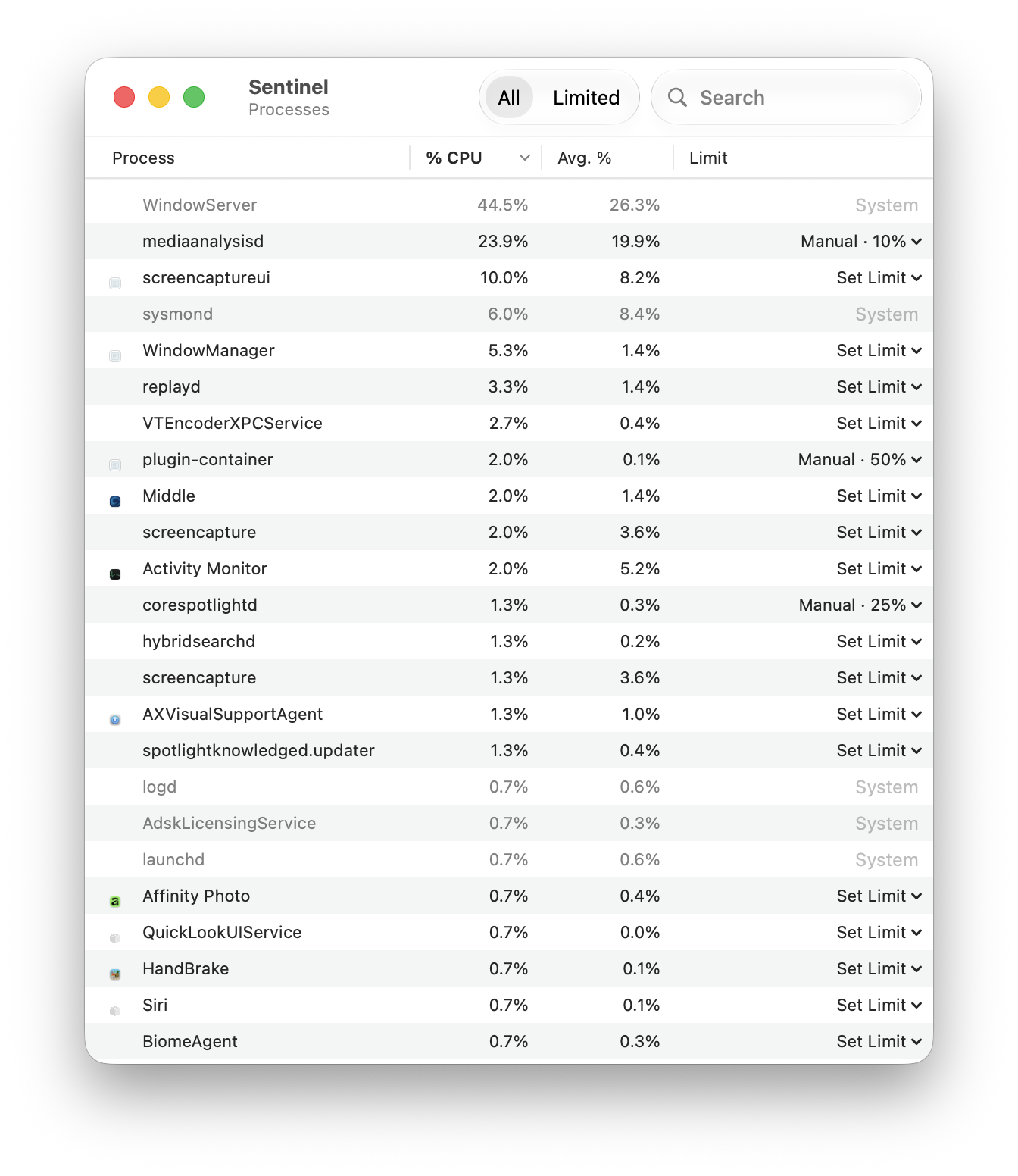
MacBat's Sentinel window listing running processes by CPU use, each with a per-process CPU limit

There's a Sentinel in your Mac.

The same process-control technology can be used in standalone mode.

What's more: you can manually set which ones the Sentinel takes over and assign processes only to the high-efficiency cores, cutting consumption even further. 

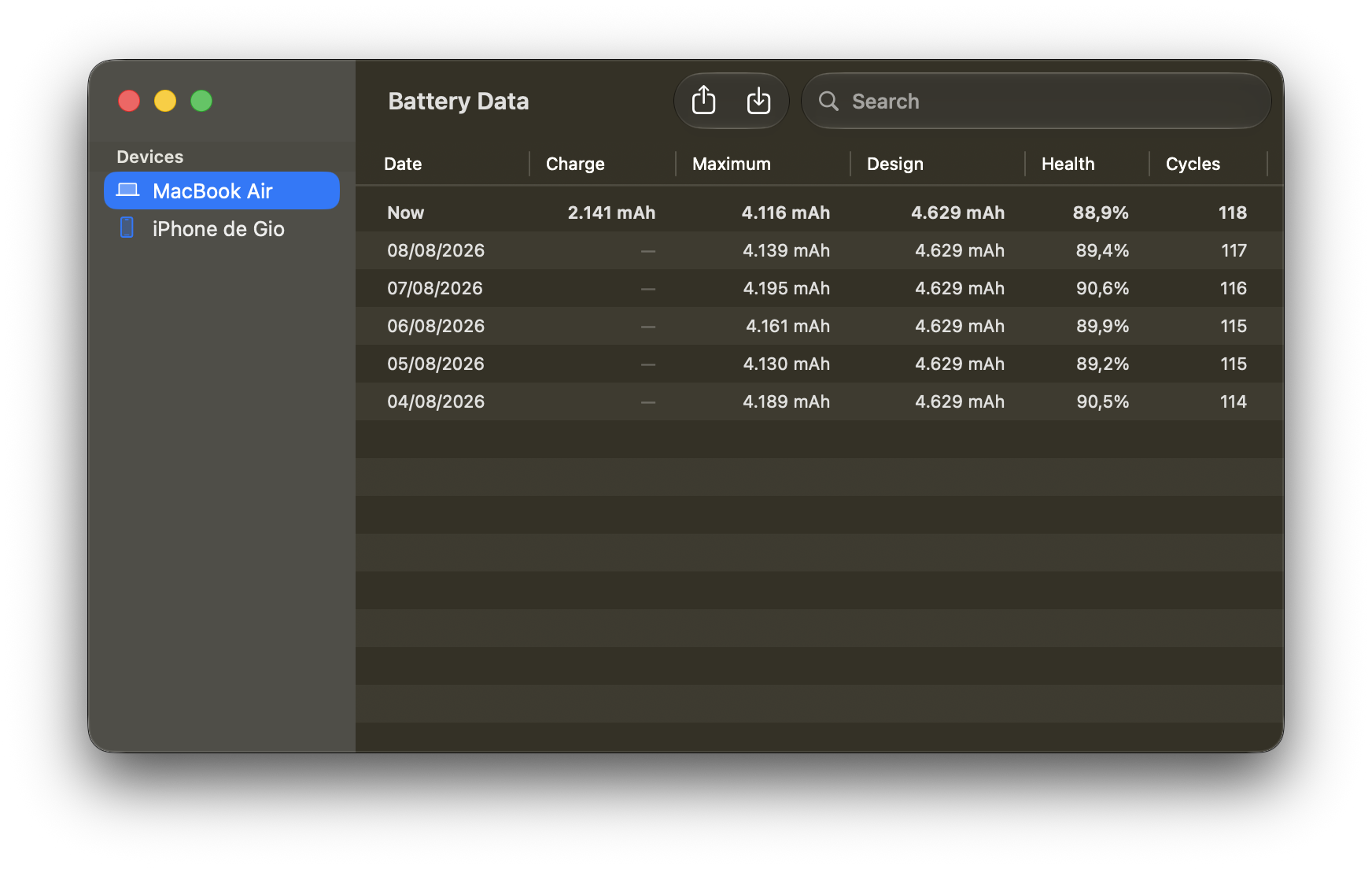
Your battery has a story too.

Track advanced power data from your Mac and your iDevices over time.

MacBat's Battery Data window showing day-by-day capacity, health and cycle count for a MacBook Air and a connected iPhone

Your battery has a story too.

Track advanced power data from your Mac and your iDevices over time.

Solid-filled battery menu bar icon in the new macOS 27 style

“Your Mac. Your icon.”

Outlined battery menu bar icon in the classic macOS style

Choose between the new macOS 27 icon or the classic one.

Privacy and Performance

CPU <1%

That's what MacBat uses. 100% built in Swift, MacBat doesn't need root access to run and doesn't collect or transmit usage data.

Install via
homebrew

Paste and run the command below in the Terminal app

brew install --cask 1architect/macbat/macbat

Don't have homebrew? Run the command below first to install it:

/bin/bash -c "$(curl -fsSL https://raw.githubusercontent.com/Homebrew/install/HEAD/install.sh)"

Gumroad

MacBat requires macOS 26 or later

The Sentinel, Control mode and advanced battery info features have a 7-day trial. After that, unlock them at:

https://giovaniman8.gumroad.com/l/macbat

Install via
homebrew

Visit macbat.vercel.app from your Mac and try it now.